Application Portfolio
The searchable inventory of every application in your estate.
The application portfolio is the base layer of Arvane's data model — every capability link, landscape node, and governance review ultimately traces back to an application record.
Application Portfolio
/applications is a searchable grid with status, criticality, TIME
classification, and OPEX.
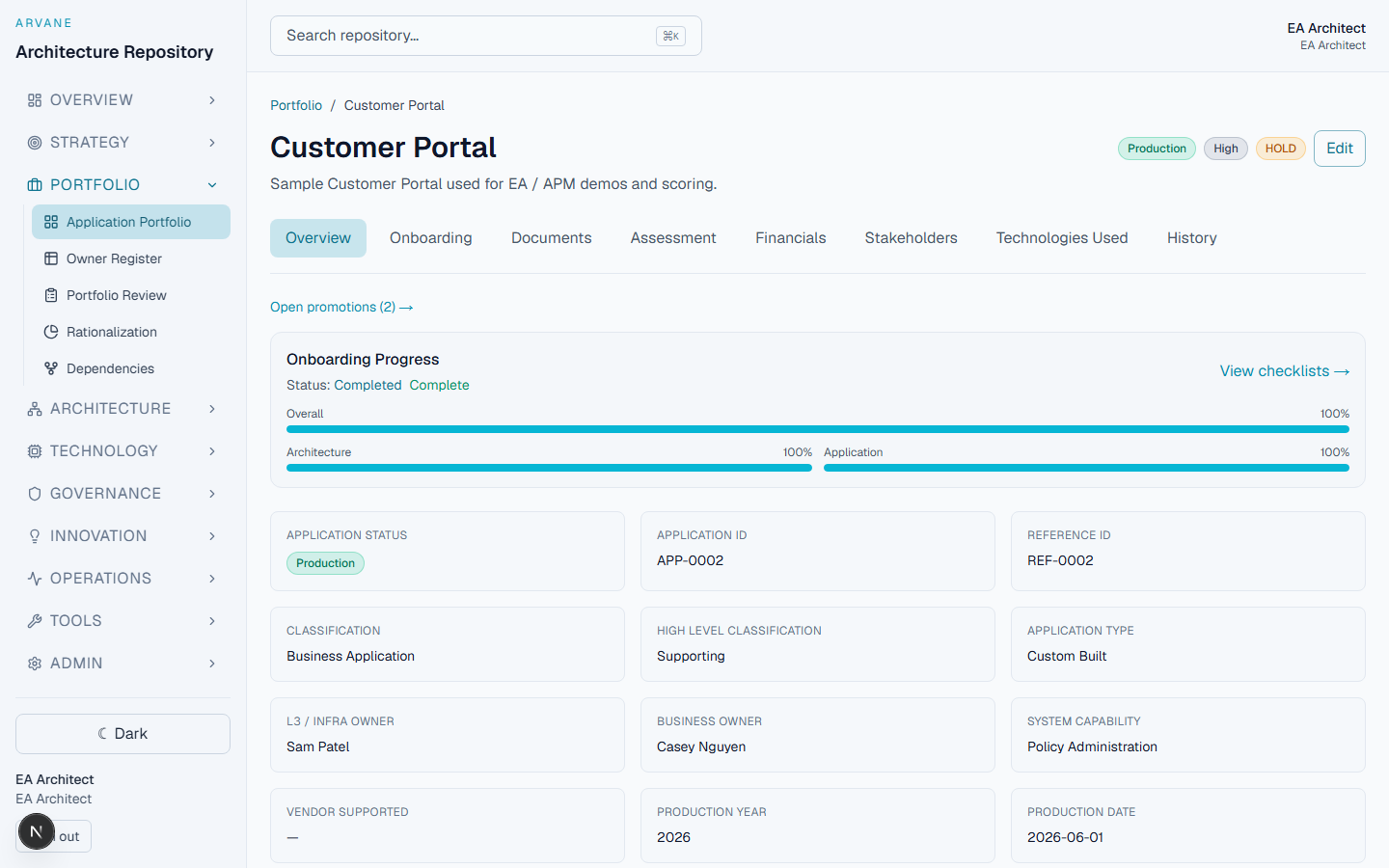
Application Detail
/applications/[id] covers overview, a security assessment tab (due
date and evidence artifacts), onboarding and recertification status,
assessment (including AI enabled/embedded usage), financials, stakeholders,
technologies, and documents — with inline edit, full version history, and an
ARB completeness score rolled up from all of the above. Application owner
changes to those sections auto-submit a pending EA architecture review.
Ownership
Every application carries named L1, L2, and L3 owners alongside Business Owner, Technical Lead, and Architect assignments. Any one of those responsibilities can be reassigned to a different user — one role, one application, with a required reason and a full audit trail — from the admin user management panel.
Owner Register
/registers/applications is a spreadsheet-like editable grid, with inbound
adapters for CSV, Google Sheets, SharePoint, and Visio XML, and support for
federated CI IDs so records stay linked to their source system.
Portfolio Review
/applications/review is a consolidated view built for management
presentation, showing ARB completeness percentage and overdue
recertifications across the whole portfolio.
Rationalization
/rationalization shows TIME breakdown, OPEX roll-ups, and a business fit vs.
technical health scatter — including a computed TIME classification derived
from Arvane's scoring algorithms rather than manual tagging alone.
Dependencies
/dependencies (and the portfolio tab under /architecture/landscape) shows
portfolio dependency views and blast-radius analysis.
Import and export
Applications import and export via an Excel workbook compatible with the
Application Details v6.xlsx schema. Reference data (status values, criticality
levels, and other pick lists) is managed at Configuration
(/admin/reference-data).
Related
- Onboarding & Application Assurance — the readiness check and evidence flow that gets an application onto this portfolio in the first place
- Capability & Landscape Mapping — how applications link to the capabilities they support
- Technology Portfolio — technologies linked from the application detail page